 noise
noiseClearer speech in videos.
Right in Chrome. Clearer speech in videos.
Right in Opera.
Right in Chrome.
Right in Opera.
Hear the difference
Choose a video and switch processing while watching.
More than YouTube.
noise processes the audio from your tab, so you can keep watching on your usual platform.
 YouTube
 Twitch
 Vimeo
Vimeo SoundCloud
 Dailymotion
Great video,
poor audio?
Let’s fix that.
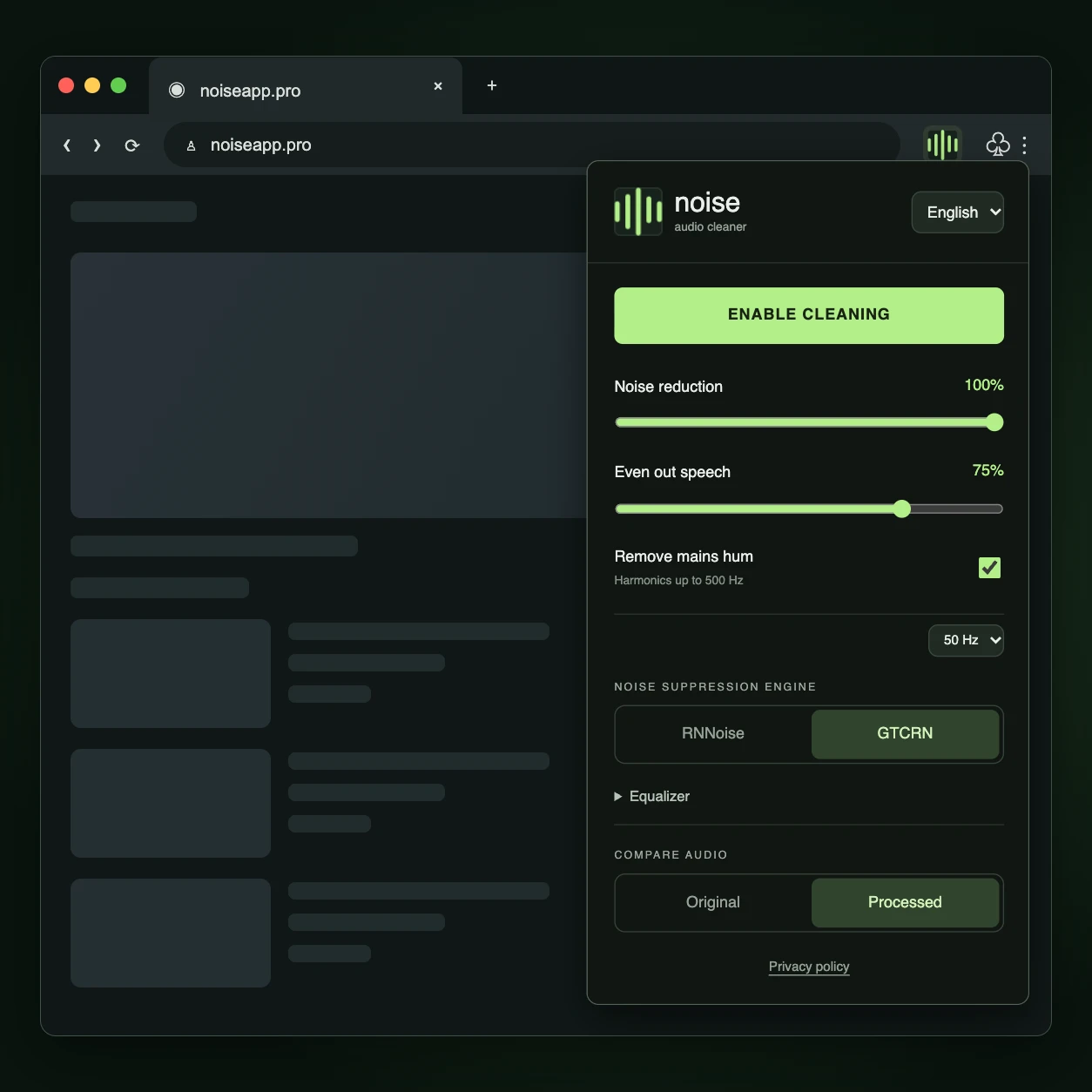
Reduce background noise.
Reduce hiss and background noise. Adjust the strength to suit the recording.
Even out speech volume.
Speech leveling makes quiet and loud passages more comfortable to listen to.
Reduce 50 Hz electrical hum.
A dedicated switch reduces 50 Hz electrical hum and its harmonics.
Your video.
One switch.
Play a video
Open a video in Chrome, just as you normally would. Open a video in Opera, just as you normally would. Turn on audio cleaning
Click noise in your Chrome toolbar, turn on audio cleaning and adjust the sound by ear. Click noise in your Opera toolbar, turn on audio cleaning and adjust the sound by ear. Hear the difference
Switch between original and processed audio with one click in the extension.
How to improve
video audio
Practical guides for specific audio problems.
Your next video,
with noise.
Audio cleaning, right in your browser.